NexaFetch Web v2.1.2 · browser + native apps
From public link
to the format you want.
Analyze first, choose a real available quality, then save authorized video or audio with live progress. No account, no mystery quality labels, no unnecessary steps.
Exact resolutionsVideo + audioLive ETANo account
Use NexaFetch only for media you created, own, or are authorized to save. It does not bypass DRM, paywalls, subscriptions, or private access controls.
 NexaFetch Web
Checking engine
Web download
Paste. Inspect. Save.
temporary processing
 —
—Website
Media title
Creator
Current task
0%Preparing download
Designed around the download
Useful control without turning the browser into a cockpit.
The web edition keeps the important decisions visible while the native apps handle heavier, persistent workflows.
01
See what is actually available.
Review title, creator, thumbnail, duration, platform, resolution, frame rate, and reported size before choosing an output.
Progress that means something.
Track percentage, downloaded bytes, current speed, ETA, post-processing, completion, and cancellation.
Video or audio.
Export video to MP4, WebM, or MKV and convert compatible audio to MP3, M4A, or WAV.
Safer server boundaries.
Private-network URLs are rejected, jobs are isolated, output size is limited, and temporary files expire automatically.
Need persistent queues?
Move to Android or Desktop for local storage, history, cookies, playlists, advanced controls, and deeper platform integration.
Choose an edition →One product, three workflows
The same NexaFetch idea, adapted to the device you use.
Use the browser for quick temporary tasks, Android for mobile-first saving, or Desktop for larger queues and advanced controls.
A Android Edition
Native downloads designed for your phone.
Local storage, foreground progress, history, queue control, and a mobile-first Compose interface.
Get Android →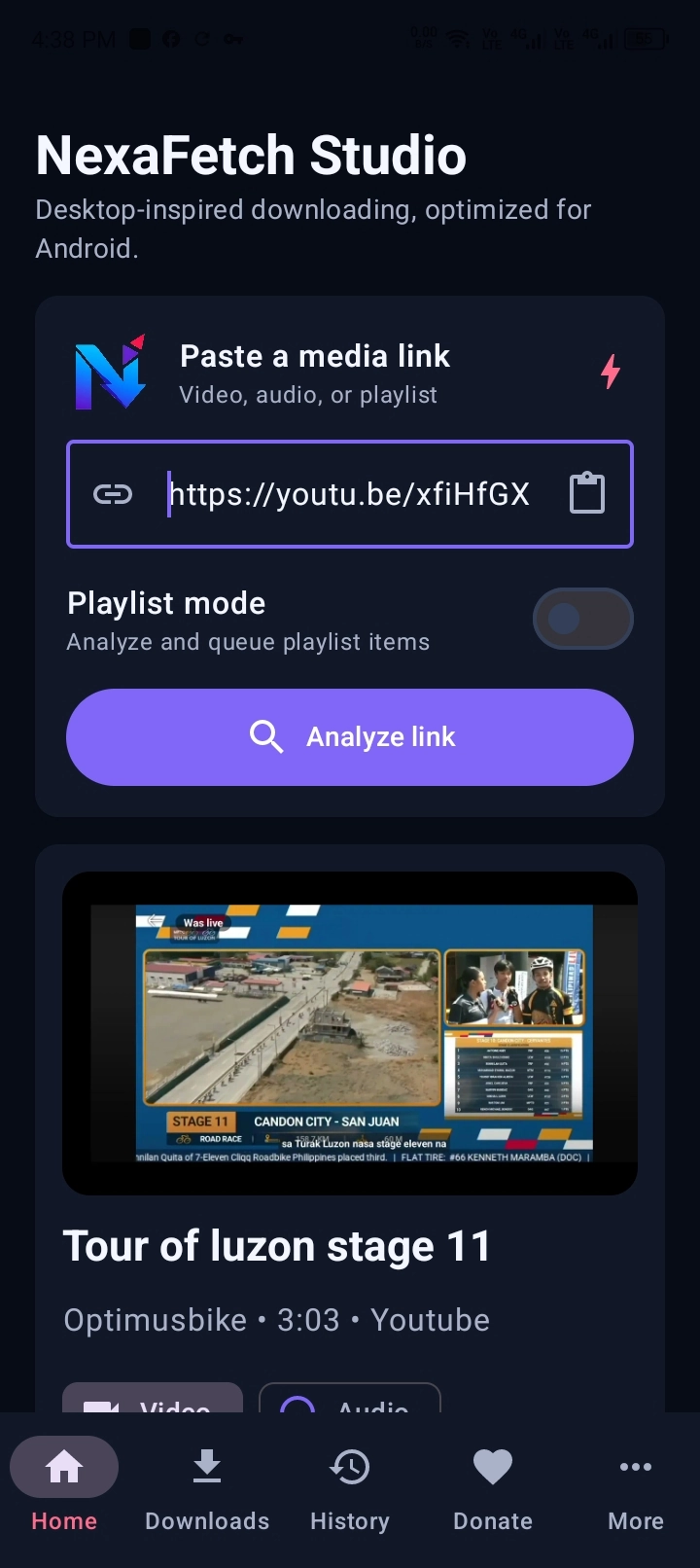
D Desktop Edition
A command center for larger download sessions.
Advanced quality controls, queue management, history, performance profiles, cookies, and Windows/Linux packaging.
Get Desktop →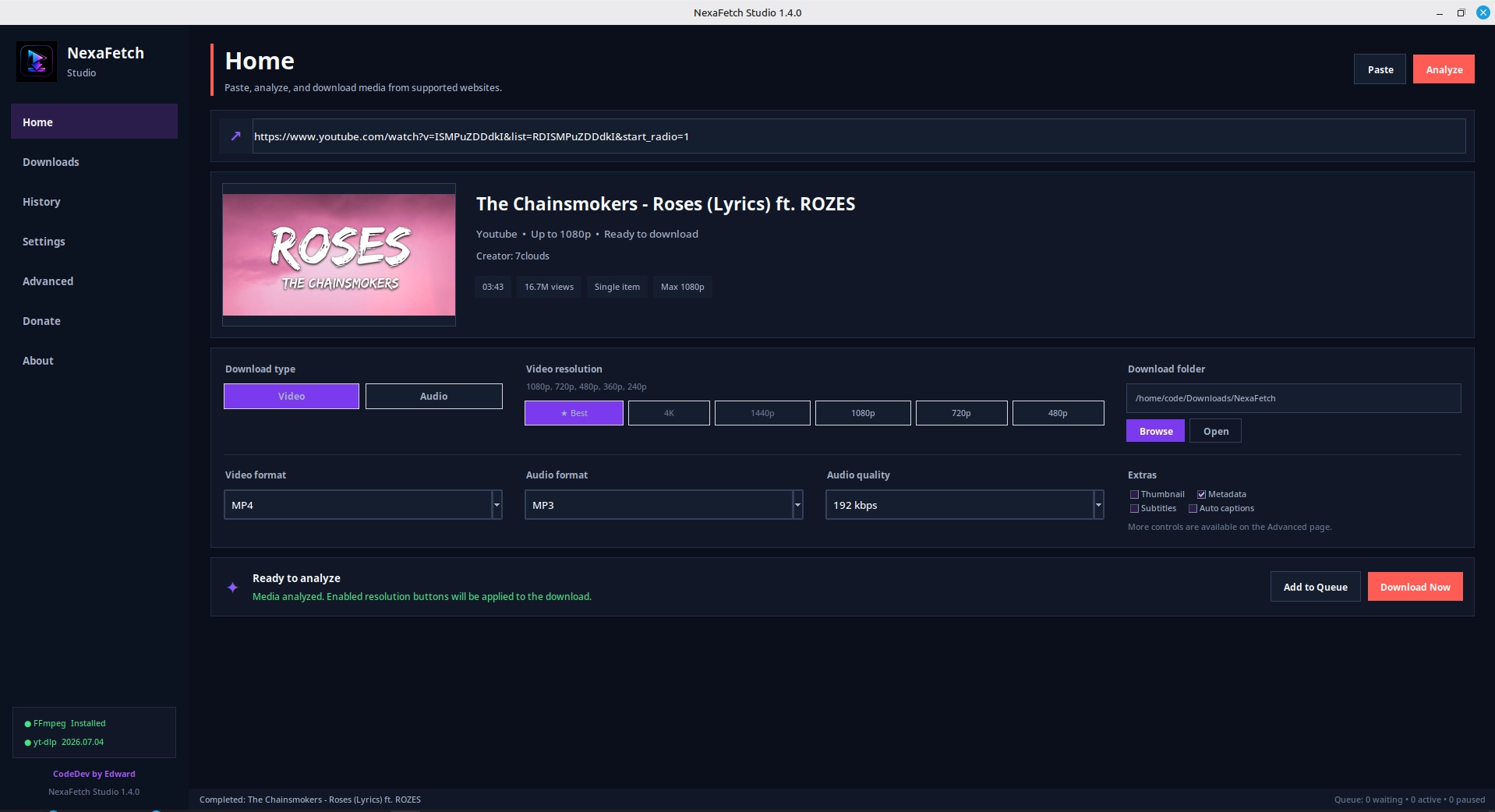
Download center
Choose where you want NexaFetch to run.
Direct official-site downloads are used when the package is available here. External distribution is clearly marked instead of pretending every link is a local file.
Official packagesAndroid APK and Linux DEB are served directly from this NexaFetch deployment.
v1.2.8
Android
Native Jetpack Compose interface with Android Downloads and MediaStore integration.
Checking package status…v1.4.2
Windows & Linux
Persistent queues, cookies, history, advanced formats, performance profiles, and desktop integration.
Checking package status…v2.1.2
Web / PWA
Quick analysis and temporary browser downloads through the same-origin FastAPI backend.
No account. Temporary server processing.Web workflow
Four steps, with the important check first.
- 01Paste
Add a complete public URL.
- 02Analyze
Inspect metadata and exact available quality.
- 03Download
Choose video/audio and follow live progress.
- 04Save
Save the completed temporary file before expiry.
Good to know
Before you start.
The web edition is deliberately temporary and public-link focused. Native editions are better for long-running local workflows.
Read responsible-use rules →Can the website download directly?+
Yes. When the FastAPI backend is fully ready, NexaFetch analyzes and downloads supported public media through yt-dlp, then exposes the completed temporary file for you to save.
Why does the engine status matter?+
The downloader now checks real readiness—not only whether the server process is alive. yt-dlp, FFmpeg, a supported JavaScript runtime, and writable temporary storage must be available for the full workflow.
Where are web files stored?+
Each task uses an isolated temporary server folder. Completed, failed, and cancelled jobs are removed automatically after the configured expiration period.
Which edition should I choose?+
Use Web for quick temporary tasks, Android for mobile-first local saving, and Desktop for persistent queues, cookies, playlists, advanced metadata, subtitles, and larger sessions.
Does NexaFetch bypass DRM or private access?+
No. It does not bypass DRM, subscriptions, paywalls, login restrictions, or other access controls. Use only public media you own or are authorized to save.
Independent development
Support NexaFetch development.
Support helps with testing, packaging, hosting, design improvements, and maintenance across Android, desktop, and web.